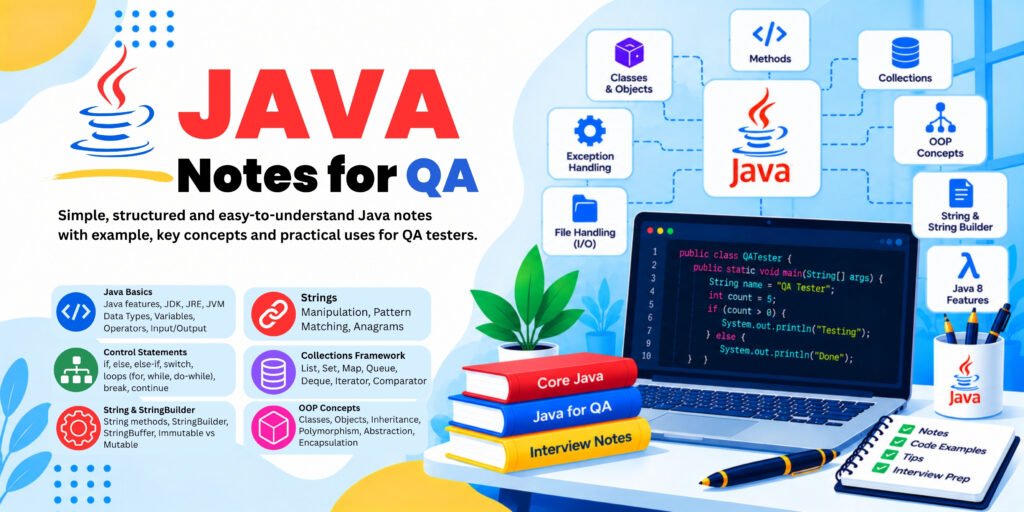
Java Notes for QA
- Robust: Provides exception handling and memory management.
- Multithreaded: Supports running multiple threads of execution.
- Large ecosystem: Works with testing libraries, build tools, and reporting tools.
What are JDK, JRE, and JVM?
JDK — Java Development Kit
Used to develop Java programs. It includes tools such as the Java compiler (
javac) and the runtime components needed for development.JRE — Java Runtime Environment
Traditionally describes the components needed to run Java applications. Modern Java distributions may not provide a separate JRE download.
JVM — Java Virtual Machine
Executes Java bytecode. It helps Java programs run on different operating systems when a compatible JVM is available.
How Java code executes
Java source file
Hello.java
Java compiler (
javac)Compiles the source code
Bytecode file
Hello.class
JVM
Executes the bytecode
Program output
Example: First Java program
public class Hello { public static void main(String[] args) { System.out.println("Hello, Java!"); }}Output:
Hello, Java!Explanation:
public class Hellodeclares a class namedHello.main()is the entry point used to start this program.System.out.println()prints a message.- The filename should be
Hello.javabecause the public class is namedHello.
Automation example: Before writing Selenium scripts, learn how to create, compile, and run basic Java programs. Selenium scripts use the same Java language fundamentals.
2. Installing Java and configuring environment variables
To run Selenium automation with Java, install a suitable JDK.
Step 1: Install the JDK
- Visit the official Oracle Java downloads page or Eclipse Temurin.
- Choose a suitable JDK version for your Selenium, IDE, and project requirements.
- Download the installer for your operating system.
- Install it and note the installation directory.
For a new learning project, a currently supported LTS release is usually a good choice.
Step 2: Check Java installation
Open Command Prompt on Windows and execute:
java -versionThen run:
javac -versionjava -versionchecks the Java runtime command.javac -versionchecks whether the Java compiler is available.
If both commands display version information, the commands are accessible from your terminal.
Step 3: Configure environment variables on Windows
- Search for Edit the system environment variables.
- Open Environment Variables.
- Create or update
JAVA_HOMEto point to your JDK installation folder, for example:C:\Program Files\Java\jdk-25Use your actual installation path and version. - Edit the
Pathvariable and add:%JAVA_HOME%\bin - Save the changes and open a new Command Prompt.
- Run
java -versionandjavac -versionagain.
Common problems
Problem | Possible reason | Solution |
|---|---|---|
java is not recognized | Java is missing from Path | Add the JDK bin folder to Path |
javac is not recognized | JDK compiler is unavailable | Install a JDK and check Path |
Wrong Java version appears | Multiple Java installations | Check JAVA_HOME, Path, and where java |
Project reports an unsupported version | IDE or build tool uses another JDK | Align the project JDK and build configuration |
Automation example: If Maven or Selenium cannot find Java, checking the installed JDK and environment variables is an important first troubleshooting step.
3. Installing IntelliJ IDEA or Eclipse
An IDE (Integrated Development Environment) is software used to write, run, debug, and manage Java programs.
Two popular Java IDEs are:

IntelliJ IDEA
Provides code completion, debugging, project management, and Maven integration.

Eclipse IDE
Widely used for Java development and Selenium automation projects, with support for Java projects and plugins.
Basic setup
- Download IntelliJ IDEA from JetBrains or Eclipse from eclipse.org.
- Install and open the IDE.
- Create a new Java project.
- Select the installed JDK as the project SDK or JRE System Library.
- Create a Java class named
FirstProgram. - Add the following code:
public class FirstProgram
{
public static void main(String[] args)
{
   System.out.println("My Java setup is ready");
 }}
7. Click the Run icon.
Expected output:
My Java setup is readyUseful IDE features for automation testers
- Code completion: Suggests methods and class names.
- Debugging: Lets you pause execution and inspect variables.
- Error highlighting: Identifies many syntax errors.
- Refactoring: Helps rename methods and variables safely.
- Maven integration: Helps manage dependencies and run tests.
4. Variables and data types
What is a variable?
A variable is a named location used to store a value that a program can use.
Syntax:
dataType variableName = value;Common Java data types
Data type | Stores | Example |
|---|---|---|
int | Whole numbers | int age = 25; |
long | Large whole numbers | long id = 123456789L; |
double | Decimal numbers | double price = 99.50; |
float | Decimal numbers | float rating = 4.5f; |
char | One character | char grade = 'A'; |
boolean | true or false | boolean isActive = true; |
String | Text | String name = "Rahul"; |
String is a class, not a primitive data type.Example
public class UserDetails {
  public static void main(String[] args)
{
    String username = "tester1";
    int age = 25;
       double salary = 35000.50;
       boolean accountActive = true;
       System.out.println(username);
     System.out.println(age);
    System.out.println(salary);
     System.out.println(accountActive);
   }
}
Output:
tester12535000.5trueVariable types based on where they are declared
- Local variable: Declared inside a method or block.
- Instance variable: Belongs to an object.
- Static variable: Belongs to the class and is shared at class level.
Automation testing example
String expectedMessage = "Login successful";
String actualMessage = "Login successful";
if (expectedMessage.equals(actualMessage))
{
 System.out.println("Test Passed");
}
Here, the variables store the expected and actual application messages. The test passes when they match.
Interview tip: Local variables must be initialized before use. Instance and static fields receive default values when not explicitly initialized.
5. Operators in Java
Operators perform calculations, comparisons, and logical operations on values.
Types of operators
| Operator type | Operators | Purpose |
|—|—|—|
Arithmetic |
+, -, *, /, % | Mathematical operations |Relational |
==, !=, >, <, >=, <= | Compare values |Logical |
&&, ||, ! | Combine conditions | Assignment |
=, +=, -=, *= | Assign or update values | Unary | ++, -- | Increase or decrease by one |</div>
Ternary |
condition ? a : b | Choose between two values |</div>Example 1: Arithmetic operators
public class ArithmeticExample
{
 public static void main(String[] args)
 {
 int a = 10;
int b = 3;
 System.out.println(a + b);
 // 13        System.out.println(a - b);
// 7        System.out.println(a * b);
// 30        System.out.println(a / b);
// 3        System.out.println(a % b);
// 1    }}
Notice that
10 / 3 produces 3 because both operands are integers. The remainder operator % returns 1.Example 2: Relational and logical operators
int age = 25;
boolean hasAccount = true;
System.out.println(age >= 18);
// trueSystem.out.println(age < 18);
  // falseSystem.out.println(age >= 18 && hasAccount);
// trueSystem.out.println(age < 18 || hasAccount);
 // trueSystem.out.println(!hasAccount);
// false&&means both conditions must be true.||means at least one condition must be true.!reverses a boolean result.
Automation testing example
boolean usernameEntered = true;
boolean passwordEntered = true;
boolean loginButtonEnabled = true;
if (usernameEntered && passwordEntered && loginButtonEnabled)
 {
System.out.println("Ready to test login");
}
This checks whether all prerequisites are satisfied before attempting a login test.
Interview tip: For objects such as
String, use .equals() to compare content. The == operator compares primitive values directly but compares object references when used with objects.6. Conditional statements — if, else, switch
Conditional statements allow Java to make decisions based on conditions.
A. if statement
Runs a block only when the condition is true.
int marks = 75;
if (marks >= 40)
 {
System.out.println("Pass");
}
Output:
PassB. if-else statement
Chooses between two possible paths.
int marks = 35
if (marks >= 40)
 {
System.out.println("Pass");
}
 else
 {
System.out.println("Fail");
}
Output:
FailC. else-if ladder
Checks multiple conditions in sequence.
int marks = 85;
if (marks >= 90)
{
 System.out.println("Grade A+");
}
 else if (marks >= 75)
{
   System.out.println("Grade A");
}
 else if (marks >= 40)
{
  System.out.println("Grade B");
}
 else
{
System.out.println("Fail");
}
Output:
Grade AJava checks the conditions from top to bottom and executes the first matching block.
D. switch statement
Useful when a variable can match one of several specific values.
String browser = "Chrome";switch (browser) {
case "Chrome":
 System.out.println("Launch Chrome");
 break;
case "Firefox":
System.out.println("Launch Firefox");
break;
case "Edge":
System.out.println("Launch Edge");
 break;
 default:
 System.out.println("Unsupported browser");}
Output:
Launch ChromeThe
break statement prevents execution from falling through to the next case in this traditional switch form. The default branch handles unmatched values.Automation testing example
String actualStatus = "PASS";if (actualStatus.equals("PASS"))
{
 System.out.println("Test completed successfully");
}
else
 {
System.out.println("Investigate test failure");}
When to use what?
- Use
if-elsefor ranges, complex conditions, and boolean checks. - Use
switchfor selecting among specific values, such as browser names or menu options.
7. Loops — for, while, do-while
Loops repeat a block of code, which is especially useful when testing multiple inputs or repeating an action.
A. for loop
Use a
for loop when the number of repetitions is known or controlled by a counter.public class ForLoopExample
{
public static void main(String[] args)
{
for (int i = 1; i <= 5; i++)
{
System.out.println("Test iteration: " + i);
}
}
}Output:
Test iteration: 1Test iteration: 2Test iteration: 3Test iteration: 4Test iteration: 5Explanation:
int i = 1: Initialization.i <= 5: Condition.i++: Increment after each iteration.
B. while loop
Checks the condition before each iteration.
int i = 1;while (i <= 3) { System.out.println(i); i++;}Output:
1, 2, 3 on separate lines.If the condition is initially false, the loop does not run.
C. do-while loop
Executes the block first and checks the condition afterward. It therefore executes at least once.
int i = 1;
do
 {
 System.out.println("Attempt: " + i);
 i++;
}
 while (i <= 3);
Output:
Attempt: 1Attempt: 2Attempt: 3D. break and continue
for (int i = 1; i <= 5; i++)
 {
 if (i == 3)
{
   continue;
  }
if (i == 5)
 {        break;    }
System.out.println(i);}
Output:
124continueskips the rest of the current iteration.breakterminates the loop.
Automation testing example
Suppose you need to test five sets of login data:
String[] users = {    "user1", "user2", "user3", "user4", "user5"};
for (int i = 0; i < users.length; i++)
 {
System.out.println("Testing login for " + users[i]);
}
In Selenium, the loop could be used to run the same test logic with multiple data values.
Interview tip: Avoid infinite loops by ensuring the condition eventually becomes false or the loop exits appropriately.
8. Arrays and strings
A. Arrays
An array stores multiple values of the same declared type in a single variable. Its length is fixed after creation.
Example
public class ArrayExample
{
public static void main(String[] args)
 {
 String[] browsers = {"Chrome", "Firefox", "Edge"};
 System.out.println(browsers[0]);
   System.out.println(browsers[1]);
 System.out.println(browsers[2]);
  System.out.println("Total browsers: " + browsers.length);
 }
}
Output:
ChromeFirefoxEdgeTotal browsers: 3Important points:
- Array indexing starts from
0. browsers[0]is the first element.browsers.lengthgives the number of elements.- Accessing an invalid index causes
ArrayIndexOutOfBoundsException.
Loop through an array
String[] testCases = {"TC01", "TC02", "TC03"};
for (String testCase : testCases)
 {
 System.out.println("Executing " + testCase);}
The enhanced
for loop visits each element.B. Strings
A
String represents text. Java strings are immutable, meaning a string object cannot be changed after creation. Operations that appear to modify a string produce a new string.Common String methods
Method | Example | Result |
|---|---|---|
length() | "Java".length() | 4 |
charAt() | "Java".charAt(0) | J |
toUpperCase() | "java".toUpperCase() | JAVA |
toLowerCase() | "JAVA".toLowerCase() | java |
contains() | "Selenium".contains("len") | true |
equals() | "Java".equals("Java") | true |
equalsIgnoreCase() | "Java".equalsIgnoreCase("JAVA") | true |
trim() | " QA ".trim() | "QA" |
substring() | "Selenium".substring(0, 4) | Sele |
Example: Validate a message
String expected = "Login Successful";
String actual = "Login Successful";
if (actual.equals(expected))
{
  System.out.println("Message validation passed");
}
else
{
System.out.println("Message validation failed");
}
Important difference: == and .equals()
String a = new String("Java");String b = new String("Java");System.out.println(a == b); // falseSystem.out.println(a.equals(b)); // trueThe first comparison checks whether both references point to the same object. The second checks whether the text content matches.
Automation testing example
When validating a browser page title or a success message, testers commonly use String methods to compare actual application text with the expected result.
9. Methods and parameters
What is a method?
A method is a reusable block of code that performs a particular task.
Instead of writing the same logic repeatedly, create a method and call it whenever needed.
Basic syntax
returnType methodName(parameters) { // code}Example 1: Method without parameters
public class MethodExample
 {
static void greet()
{
System.out.println("Welcome to Java");
 }
  public static void main(String[] args)
{
 greet();
 greet();
  }
}
Output:
Welcome to JavaWelcome to Javavoid means the method does not return a value.Example 2: Method with parameters
public class LoginExample {
 static void login(String username, String password)
{
  System.out.println("Username: " + username);
System.out.println("Password received");
}
 public static void main(String[] args)
 {
 login("tester1", "demoPassword");
}
}usernameandpasswordare parameters."tester1"and"demoPassword"are arguments passed to the method.
This is a demonstration only; real credentials should not be printed or hardcoded in production tests.
Example 3: Method with a return value
public class Calculator
{
 static int add(int a, int b)
{
 return a + b;
   }
    public static void main(String[] args)
 {
    int result = add(10, 20);
       System.out.println(result);
 }
}
Output:
30Automation testing example
A Selenium framework might have reusable methods such as:
void enterUsername(String username)
{
  // Locate the username field and enter the value
}
void clickLogin()
{
 // Locate and click the login button}
These methods are illustrative; the actual browser interactions require Selenium WebDriver objects and locators.
Interview tip: A method signature includes the method name and parameter types. The return type is not part of the method signature used to distinguish overloaded methods.
10. Classes and objects
Java is an object-oriented programming language. Classes and objects are fundamental concepts in Java and are important for understanding Selenium’s Page Object Model (POM).
What is a class?
A class is a blueprint that defines the data and behavior that its objects can have.
What is an object?
An object is an instance of a class. It can hold its own instance data and use the methods defined by the class.
Example
class Student
 {
 String name;
 int age;
 void displayDetails()
{
 System.out.println("Name: " + name);
  System.out.println("Age: " + age);
}
}
public class Main
{
 public static void main(String[] args)
{
        Student student1 = new Student();
    student1.name = "Rahul";
    student1.age = 25;
  student1.displayDetails();
 }
}
Output:
Name: RahulAge: 25Understand this line
Student student1 = new Student();Student: The class type.student1: The variable that holds the object reference.new: Creates an object.Student(): Calls the constructor.
Automation testing example
Imagine a login page containing a username field, password field, and login button. A class can represent this page and provide methods to interact with those elements.
class LoginPage
{
 void enterUsername()
{
 System.out.println("Entering username");
}
 void enterPassword()
 {
 System.out.println("Entering password");
  }
 void clickLogin()
{
        System.out.println("Clicking login");
 }
}
Another class can create a
LoginPage object and call these methods.In a real Selenium framework, this class would contain WebDriver locators and browser interactions.
Interview question: What is the difference between a class and an object?
Answer: A class defines the structure and behavior. An object is an instance created from that class.
11. Constructors
What is a constructor?
A constructor is a special member of a class that initializes a new object.
Constructor rules
- Its name must match the class name.
- It has no return type, not even
void. - It runs when an object is created using
new. - It can accept parameters.
- Constructors can be overloaded.
Example 1: No-argument constructor
class Employee
{
 String name;
 Employee()
 {
    name = "Unknown";
 }
   void display()
{
       System.out.println(name);
   }
}
public class Main
 {
  public static void main(String[] args)
 {
    Employee emp = new Employee();
       emp.display();
}
}
Output:
UnknownExample 2: Parameterized constructor
class Employee
 {
String name;
  int age;
Employee(String employeeName, int employeeAge)
{
 name = employeeName;
age = employeeAge;
  }
void display()
 {
System.out.println(name + " - " + age);
 }
}
public class Main {    public static void main(String[] args)
{
Employee emp1 = new Employee("Amit", 28);
   Employee emp2 = new Employee("Priya", 25);
 emp1.display();
     emp2.display();
 }
}
Output:
Amit - 28Priya - 25Each object receives its own initial values.
Default constructor vs. no-argument constructor
A default constructor is supplied by the Java compiler only when you declare no constructors. A no-argument constructor is any constructor that takes no parameters, whether you write it yourself or the compiler supplies it.
Automation testing example
Constructors are frequently used in Page Object Model classes to receive a WebDriver object.
// Illustrative Selenium structureclass LoginPage
{
 // WebDriver driver;
 // LoginPage(WebDriver driver)
 {
 //     this.driver = driver;    // }}
The constructor can store the driver so that the page class can interact with the browser.
Interview question: Why do we use constructors in Selenium Page Object Model?
Answer: To initialize page objects and pass required dependencies, such as the WebDriver instance.
12. Inheritance
What is inheritance?
Inheritance allows one class to acquire accessible fields and methods from another class.
- Parent class: The class whose members are inherited.
- Child class: The class that extends the parent.
extends: Keyword used for class inheritance.
Example
class Animal{ void eat() { System.out.println("Animal is eating"); }}class Dog extends Animal { void bark() { System.out.println("Dog is barking"); }}public class Main {public static void main(String[] args){Dog dog = new Dog(); dog.eat();dog.bark(); }}Output:
Animal is eating Dog is barkingThe
Dog class can use the inherited eat() method and its own bark() method.Types of inheritance in Java
- Single: One child extends one parent.
- Multilevel: A class extends a class that itself extends another class.
- Hierarchical: Multiple child classes extend the same parent.
- Multiple inheritance of classes: Not supported directly in Java; similar behavior can be achieved through interfaces.
Automation testing example
A framework may use a base test class to share setup and teardown methods.
class BaseTest{ void openApplication(){ System.out.println("Opening application"); }}class LoginTest extends BaseTest { void testLogin(){openApplication();System.out.println("Executing login test"); }}Output:
Opening applicationExecuting login testThis demonstrates code reuse. A real framework might place browser setup in a base class, but inheritance should be used carefully to avoid overly complicated class relationships.
Interview question: Can Java support multiple inheritance?
Answer: Java does not allow a class to extend multiple classes, but a class can implement multiple interfaces.
Types of Inheritance in Java — With Examples
Inheritance means one class can acquire accessible properties and methods from another class. It helps us reuse code and build relationships between classes.
In Java, there are four commonly discussed types of inheritance: single, multilevel, hierarchical, and multiple inheritance. Java supports the first three through classes. Multiple inheritance of classes is not supported directly, but similar behavior can be achieved using interfaces.
1. Single Inheritance
Definition: One child class inherits from one parent class.
Parent class: Animal
eat()
Child class: Dog
bark() + inherited eat()
Java example
class Animal
 {
void eat()
 {
 System.out.println("Animal is eating");
 }
}
class Dog extends Animal
 {
void bark()
{
System.out.println("Dog is barking");
   }
}
public class Main
 {
 public static void main(String[] args)
 {
 Dog dog = new Dog();
 dog.eat();  // Inherited from Animal        dog.bark(); // Defined in Dog    }}
Output:
Animal is eatingDog is barkingExplanation:
Animalis the parent class.Dogis the child class.extendsestablishes the inheritance relationship.- The
Dogobject can call botheat()andbark().
Real-life example: A dog is an animal, so it can share general animal behavior while having its own specific behavior.
Automation testing example: A
LoginTest class might extend a BaseTest class to reuse browser setup methods.2. Multilevel Inheritance
Definition: A class inherits from a parent class, and another class inherits from that child class. Inheritance forms a chain.
Grandparent: Animal
eat()
Parent: Dog
bark()
Child: Puppy
play()
Java example
class Animal
 {
 void eat()
 {
 System.out.println("Animal is eating");
}
}
class Dog extends Animal
{
 void bark()
{
 System.out.println("Dog is barking");
}
}
class Puppy extends Dog
 {
 void play()
 {
System.out.println("Puppy is playing");
 }
}
public class Main
{
  public static void main(String[] args)
{
  Puppy puppy = new Puppy();
 puppy.eat();  // From Animal
 puppy.bark(); // From Dog
  puppy.play(); // From Puppy    }}
Output:
Animal is eatingDog is barkingPuppy is playingExplanation:
The inheritance chain is
Animal → Dog → Puppy.The
Puppy class can access the inherited methods eat() and bark(), as well as its own play() method.Automation testing example: A framework might have
BaseTest → WebTest → LoginTest, where each level adds relevant functionality. In practice, avoid unnecessarily deep inheritance chains because they can make frameworks harder to maintain.3. Hierarchical Inheritance
Definition: Multiple child classes inherit from the same parent class.
Parent: Animal
eat()
Dog
bark()
Cat
meow()
Cow
moo()
Java example
class Animal{ void eat() { System.out.println("Animal is eating"); }}class Dog extends Animal { void bark(){ System.out.println("Dog is barking"); }}class Cat extends Animal { void meow() { System.out.println("Cat is meowing"); }}class Cow extends Animal { void moo(){ System.out.println("Cow is mooing"); }}public class Main { public static void main(String[] args){ Dog dog = new Dog();Cat cat = new Cat(); Cow cow = new Cow();dog.eat(); dog.bark(); cat.eat();cat.meow();cow.eat(); cow.moo(); }}Output:
Animal is eatingDog is barkingAnimal is eatingCat is meowingAnimal is eatingCow is mooingExplanation:
Dog,Cat, andCowall extendAnimal.- Each child inherits the
eat()method. - Each child has its own specific method.
Automation testing example: A
BaseTest class could provide common test setup, while separate classes such as LoginTest, SearchTest, and CheckoutTest extend it to implement different test scenarios.4. Multiple Inheritance
Definition: Multiple inheritance means a class inherits behavior from more than one parent.
Java does not allow a class to extend two classes directly. For example, the following code is invalid:
class A {    void showA()
 {
 System.out.println("A");
}
}
class B
 {
 void showB()
 {
 System.out.println("B");
 }
}
// Invalid Java:// class C extends A, B { }
A Java class can extend only one class. However, it can implement multiple interfaces.
Multiple inheritance using interfaces
Interface: Camera
takePhoto()
Interface: MusicPlayer
playMusic()
Class: Smartphone
Implements both interfaces
Java example
interface Camera{ void takePhoto();}interface MusicPlayer{ void playMusic();}class Smartphone implements Camera, MusicPlayer {@Override public void takePhoto() {System.out.println("Taking a photo"); } @Override public void playMusic() { System.out.println("Playing music"); }}public class Main { public static void main(String[] args) {Smartphone phone = new Smartphone(); phone.takePhoto(); phone.playMusic(); }}Output:
Taking a photoPlaying musicExplanation:
Cameradefines thetakePhoto()contract.MusicPlayerdefines theplayMusic()contract.Smartphoneimplements both interfaces and provides both method implementations.- The class gains both capabilities without extending two classes.
Automation testing example: A class could implement two interfaces, such as
ScreenshotCapable and ReportGeneratable, to provide both screenshot and report functionality.Important interview point: If two interfaces provide conflicting
default methods with the same signature, the implementing class must resolve the conflict explicitly.Quick comparison for interviews
Type | Structure | Supported in Java classes? |
|---|---|---|
Single | One parent → one child | Yes |
Multilevel | Grandparent → parent → child | Yes |
Hierarchical | One parent → multiple children | Yes |
Multiple | Multiple parents → one child | Not directly; multiple interfaces can be implemented |
Test your understanding
Question:
Vehicle is extended by both Car and Bike. Which type of inheritance is this?Single inheritance
Multilevel inheritance
Hierarchical inheritance
Multiple inheritance
Check answer
Remember:
extends is used when a class inherits from another class. implements is used when a class implements one or more interfaces.13. Polymorphism
What is polymorphism?
Polymorphism means “many forms.” In Java, it allows the same method name or parent-type reference to behave differently in different situations.
There are two important forms.
A. Compile-time polymorphism: Method overloading
Multiple methods have the same name but different parameter lists.
class Calculator
{
int add(int a, int b)
 {
return a + b; } int add(int a, int b, int c) { return a + b + c; } double add(double a, double b) { return a + b; }}public class Main { public static void main(String[] args) { Calculator calc = new Calculator(); System.out.println(calc.add(10, 20)); System.out.println(calc.add(10, 20, 30));System.out.println(calc.add(2.5, 3.5)); }}Output:
30606.0The compiler chooses which overload to call based on the arguments and their types.
B. Runtime polymorphism: Method overriding
A child class provides its own implementation of an inherited instance method.
class Browser
{
void open()
{
System.out.println("Opening a browser"); }}class Chrome extends Browser { @Override void open() { System.out.println("Opening Chrome"); }}class Firefox extends Browser { @Override void open() { System.out.println("Opening Firefox"); }}public class Main { public static void main(String[] args) { Browser browser = new Chrome(); browser.open(); browser = new Firefox(); browser.open(); }}Output:
Opening ChromeOpening FirefoxAlthough the variable type is
Browser, Java calls the overridden method belonging to the actual object.Overloading vs. overriding
Overloading | Overriding |
|---|---|
Same method name, different parameter lists | Same method signature in a subclass |
Usually resolved at compile time | Instance method dispatch occurs at runtime |
Can occur in one class | Requires an inheritance relationship |
Return type alone cannot distinguish overloads | Return type must be compatible with the overridden method |
Automation testing example
A test framework could define a common browser operation and provide different implementations for Chrome and Firefox. In real Selenium projects, browser selection is often managed through configuration and driver creation rather than custom browser subclasses.
Interview tip: Static methods are hidden, not overridden in the same polymorphic sense as instance methods.
14. Encapsulation and abstraction
These are two key object-oriented programming concepts.
A. Encapsulation
Encapsulation means keeping data and the methods that operate on that data together, while controlling access to the internal state.
A common technique is to declare fields
private and expose controlled public methods.Example
class BankAccount
 {
  private double balance;
public void deposit(double amount) { if (amount > 0) { balance += amount; } } public double getBalance() { return balance; }}public class Main { public static void main(String[] args) { BankAccount account = new BankAccount(); account.deposit(1000); System.out.println(account.getBalance()); }}Output:
1000.0The
balance field cannot be accessed directly from outside the class. The deposit() method also validates the amount before changing the balance.Why use encapsulation?
- Protects internal data.
- Provides controlled access.
- Makes code easier to maintain.
- Allows validation before values are changed.
B. Abstraction
Abstraction means exposing the important operations while hiding unnecessary implementation details.
Example
abstract class Payment { abstract void pay(double amount);void showMessage() { System.out.println("Processing payment");}}class CardPayment extends Payment { @Override void pay(double amount) { System.out.println("Card payment: " + amount); }}public class Main { public static void main(String[] args){ Payment payment = new CardPayment(); payment.showMessage(); payment.pay(500); }}Output:
Processing paymentCard payment: 500.0The caller uses the
Payment abstraction without needing to know the detailed implementation of card payment.Encapsulation vs. abstraction
Encapsulation | Abstraction |
|---|---|
Controls access to internal data and implementation | Exposes essential behavior and hides implementation details |
Often uses private fields and public methods | Often uses interfaces and abstract classes |
Focuses on protecting and managing state | Focuses on what an object can do |
Automation testing example
In a Page Object Model, the test can call
loginPage.login(username, password) without knowing the locator strategy or the exact sequence of browser interactions inside that method. This is a useful example of abstraction; keeping page details private also supports encapsulation.15. Interfaces and abstract classes
Both interfaces and abstract classes help define common behavior and build flexible Java programs. They are especially useful when designing reusable automation frameworks.
A. Interface
An interface defines a contract that implementing classes agree to follow. It can declare abstract methods and can also contain
default, static, and private methods under Java’s interface rules.Example
interface Notification
{
 void sendMessage(String message);
}
class EmailNotification implements Notification { @Override public void sendMessage(String message) { System.out.println("Email: " + message); }}class SMSNotification implements Notification { @Override public void sendMessage(String message) { System.out.println("SMS: " + message); }}public class Main { public static void main(String[] args) { Notification notification = new EmailNotification(); notification.sendMessage("Test completed");notification = new SMSNotification(); notification.sendMessage("Test failed"); }}Output:
Email: Test completedSMS: Test failedThe same interface supports different implementations.
B. Abstract class
An abstract class is declared with the
abstract keyword. It can contain both abstract methods (without a method body) and concrete methods (with a body).abstract class BasePage
{
abstract void openPage(); void showPageMessage() { System.out.println("Page operation started"); }}class HomePage extends BasePage { @Override void openPage() { System.out.println("Opening home page"); }}public class Main { public static void main(String[] args) { HomePage page = new HomePage(); page.showPageMessage(); page.openPage(); }}Output:
Page operation startedOpening home pageYou cannot create an instance directly from an abstract class.
Interface vs. abstract class
Interface | Abstract class |
|---|---|
A class can implement multiple interfaces | A class can extend only one class |
Defines a contract for implementing classes | Can define shared state and implementation |
Cannot be instantiated directly | Cannot be instantiated directly |
Does not have ordinary per-instance fields | Can have instance fields and constructors |
Selenium interview point
WebDriver is a Selenium interface. Browser-specific drivers, such as ChromeDriver and FirefoxDriver, implement that interface.// Requires Selenium WebDriver dependency
WebDriver driver = new ChromeDriver();Here,
driver is declared using the interface type WebDriver, while the created object is a ChromeDriver.This makes the code more flexible when switching browser implementations.
16. Exception handling
What is an exception?
An exception is an event that interrupts the normal execution of a program. It may occur because of invalid input, an unavailable file, a network issue, or an application error.
Java provides exception-handling mechanisms to help a program respond to errors appropriately.
Common exception-related keywords
try: Contains code that may throw an exception.catch: Handles a matching exception.finally: Executes when control leaves the associatedtrystatement, whether normally or because of an exception, subject to exceptional JVM termination.throw: Explicitly throws an exception.throws: Declares exceptions a method may pass to its caller.
A. try-catch
public class ExceptionExample
 {
 public static void main(String[] args)
{
try { int result = 10 / 0; System.out.println(result); } catch (ArithmeticException e) { System.out.println("Cannot divide by zero"); } System.out.println("Program continues"); }}Output:
Cannot divide by zeroProgram continuesThe matching
catch block handles the exception, allowing execution to continue after the handling code.B. finally
try
 {
 System.out.println("Executing test");
}
catch (Exception e)
{ System.out.println("An error occurred");} finally { System.out.println("Cleanup section");}Output:
Executing testCleanup sectionThe
finally block is often used for cleanup, although Java resource-management constructs such as try-with-resources are preferable for many closeable resources.C. throw
public class AgeCheck { static void validateAge(int age) { if (age < 18) { throw new IllegalArgumentException("Age must be at least 18"); } System.out.println("Valid age"); } public static void main(String[] args) { validateAge(20); }}Output:
Valid ageIf you pass
15, the method throws an IllegalArgumentException.D. throws
import java.io.IOException;class FileService { static void readFile() throws IOException { throw new IOException("File could not be read"); }}throws IOException declares the checked exception that the caller must handle or declare in turn.E. Checked vs. unchecked exceptions
Checked exceptions | Unchecked exceptions |
|---|---|
Compiler requires handling or declaration | Compiler does not require explicit handling or declaration |
Examples: IOException, SQLException | Examples: NullPointerException, ArithmeticException |
Common Selenium exceptions
Exception | Typical reason |
|---|---|
NoSuchElementException | Element could not be located |
TimeoutException | An explicit wait condition was not satisfied in time |
StaleElementReferenceException | A previously located element is no longer attached to the current DOM state |
ElementClickInterceptedException | Another element blocks the click |
NoSuchWindowException | The requested browser window or tab cannot be found |
Selenium example: Handling a missing element
// Requires Selenium WebDriver dependencytry
{
driver.findElement(By.id("loginButton")).click();
}
catch (NoSuchElementException e)
 {
    System.out.println("Login button was not found");
}
Before using exception handling, consider whether a correct locator or explicit wait would solve the underlying problem. Do not catch and silently ignore every exception because that can hide real test failures.
Interview question: What is the difference between
throw and throws?Answer:
throw throws an exception from code; throws declares possible exceptions in a method signature.17. Collections Framework — List, Set and Map
What is the Collections Framework?
The Java Collections Framework provides interfaces and classes for storing and managing groups of objects.
Unlike arrays, many collection implementations can grow or shrink as values are added or removed.
The three important interfaces for automation testers are
List, Set, and Map.A. List
A
List stores elements in an ordered sequence and allows duplicates.import java.util.ArrayList;import java.util.List;public class ListExample { public static void main(String[] args) { List<String> browsers = new ArrayList<>(); browsers.add("Chrome"); browsers.add("Firefox"); browsers.add("Chrome"); System.out.println(browsers); System.out.println(browsers.get(1)); }}Output:
[Chrome, Firefox, Chrome]FirefoxUse a list when order matters or duplicates are allowed.
B. Set
A
Set stores unique elements and does not permit duplicate values.import java.util.HashSet;import java.util.Set;public class SetExample { public static void main(String[] args) { Set<String> tools = new HashSet<>(); tools.add("Selenium"); tools.add("Postman"); tools.add("Selenium"); System.out.println(tools); }}The set contains only two unique values. A
HashSet does not guarantee iteration order, so do not rely on the displayed order.Use a set to remove duplicates or check whether a unique value is present.
C. Map
A
Map stores data as key-value pairs. Keys are unique, while values can repeat.import java.util.HashMap;import java.util.Map;public class MapExample{ public static void main(String[] args) {Map<String, String> testData = new HashMap<>(); testData.put("username", "tester1"); testData.put("password", "demoPassword"); testData.put("browser", "Chrome"); System.out.println(testData.get("username")); System.out.println(testData.get("browser")); }}Output:
tester1ChromeIf you put another value using an existing key, the previous value is replaced.
List vs. Set vs. Map
Feature | List | Set | Map |
|---|---|---|---|
Stores | Elements | Unique elements | Key-value pairs |
Duplicates | Allowed | Duplicate elements not allowed | Keys unique; values can repeat |
Access | Index or iteration | Membership or iteration | Key |
Common implementation | ArrayList | HashSet | HashMap |
Automation testing example
- List: Store test case names or multiple element texts.
- Set: Store unique browser names or unique IDs.
- Map: Store test data such as username, password, environment, or browser name.
18. ArrayList and HashMap
These are two frequently used collection implementations in Java automation frameworks.
A. ArrayList
ArrayList is a resizable array implementation of the List interface.Example
import java.util.ArrayList;public class ArrayListExample{ public static void main(String[] args) { ArrayList<String> testCases = new ArrayList<>(); testCases.add("Login Test"); testCases.add("Search Test"); testCases.add("Payment Test"); System.out.println(testCases.get(0)); testCases.set(1, "Product Search Test"); testCases.remove("Payment Test"); System.out.println(testCases); System.out.println("Size: " + testCases.size()); }}Output:
Login Test[Login Test, Product Search Test]Size: 2Important methods:
add(): Add an element.get(): Read an element at an index.set(): Replace an element.remove(): Remove an element.size(): Get the number of elements.contains(): Check whether an element exists.
B. HashMap
HashMap stores key-value pairs and uses hashing to support efficient lookups on average. It does not guarantee iteration order.Example
import java.util.HashMap;import java.util.Map;public class HashMapExample{ public static void main(String[] args) { Map<String, String> data = new HashMap<>(); data.put("username", "tester1"); data.put("password", "demoPassword"); data.put("browser", "Chrome"); System.out.println(data.get("username")); if (data.containsKey("browser")) { System.out.println("Browser: " + data.get("browser")); } }}Output:
tester1Browser: ChromeImportant methods:
put(key, value): Add or update a mapping.get(key): Retrieve the value.containsKey(key): Check whether a key exists.remove(key): Remove a mapping.keySet(): Get the keys.entrySet(): Iterate over key-value pairs.
Selenium example: Using a map for test data
Map<String, String> loginData = new HashMap<>();loginData.put("username", "testuser");loginData.put("password", "demoPassword");String username = loginData.get("username");String password = loginData.get("password");These values could be passed to a login method. Use synthetic credentials for practice; production secrets should be stored securely.
Interview question: ArrayList vs. HashMap
Answer: An
ArrayList stores an ordered sequence of elements and accesses them by index. A HashMap stores key-value mappings and retrieves values using keys.19. static and final keywords
These keywords have different purposes and appear frequently in Java interview questions.
A. static
The
static keyword makes a member belong to the class rather than to individual objects.Static variable example
class Employee { static String company = "WebVittha"; String name; Employee(String name){this.name = name;
}}public class Main { public static void main(String[] args) { Employee e1 = new Employee("Rahul"); Employee e2 = new Employee("Priya"); System.out.println(e1.name); System.out.println(e2.name); System.out.println(Employee.company); }}Output:
RahulPriyaWebVitthaBoth objects share the same class-level
company variable.Static method example
class Calculator
{
 static int square(int number)
{
 return number * number;
}}public class Main { public static void main(String[] args) { System.out.println(Calculator.square(5)); }}Output:
25A static method can be called using the class name without creating an object. It cannot directly access instance members without an object reference.
B. final
The
final keyword restricts reassignment or inheritance, depending on where it is used.Final variable
final int MAX_RETRIES = 3;// MAX_RETRIES = 5; // Compilation errorA final variable can be assigned only once. For a reference variable,
final prevents reassignment of the reference, not necessarily changes to the referenced object.Final method
class Parent
{
final void display()
{
System.out.println("Parent method"); }}A subclass cannot override this method.
Final class
final class Utility { void show() { System.out.println("Utility class"); }}A final class cannot be extended.
Static vs. final
static | final |
|---|---|
Makes a member belong to the class | Restricts reassignment, overriding, or inheritance |
Can be used for class variables and methods | Can be used for variables, methods, and classes |
Does not itself make a variable constant | Often used with static to define class-level constants |
Automation testing example
class TestConfig { static final int DEFAULT_TIMEOUT_SECONDS = 10;}A test framework can use
TestConfig.DEFAULT_TIMEOUT_SECONDS as a shared configuration constant.Interview tip:
static final is commonly used for constants. Use clear names such as DEFAULT_TIMEOUT_SECONDS and avoid hardcoding the same value in multiple test scripts.20. File handling
What is file handling?
File handling means reading data from files and writing data to files through Java.
Automation testers may need file handling to:
- Read test data from text or CSV files.
- Load configuration information.
- Save results or logs.
- Read files downloaded by the application.
- Validate generated reports.
Java provides file-handling APIs through packages such as
java.io and java.nio.file.A. Write to a text file
import java.io.IOException;import java.nio.file.Files;import java.nio.file.Path;public class WriteFileExample
{
public static void main(String[] args) throws IOException
{
Path path = Path.of("test-result.txt");
 Files.writeString(path, "Login Test: PASS");
System.out.println("File written successfully");
}
}
This creates or overwrites
test-result.txt in the program’s current working directory.Output:
File written successfullyB. Read from a text file
import java.io.IOException;import java.nio.file.Files;import java.nio.file.Path;public class ReadFileExample
 {
public static void main(String[] args) throws IOException
{
Path path = Path.of("test-result.txt");
 String content = Files.readString(path);
 System.out.println(content);
}
}
If the previous example created the file, the output is:
Login Test: PASSThe examples use
throws IOException to keep the code simple. In a real application, handle expected file errors appropriately.C. Read a file line by line
import java.io.IOException;import java.nio.file.Files;import java.nio.file.Path;public class ReadLinesExample
{
 public static void main(String[] args) throws IOException
{
 Path path = Path.of("test-cases.txt");
 for (String line : Files.readAllLines(path))
{
System.out.println(line);
}
}
}
This example assumes
test-cases.txt exists and contains text.For very large files, prefer streaming lines rather than loading the entire file into memory.
D. Read CSV-style test data
Suppose
users.csv contains:username,passwordtester1,pass123tester2,pass456A simple example for this basic CSV format is:
import java.io.IOException;
import java.nio.file.Files;
import java.nio.file.Path;
import java.util.List;
public class CSVExample
{
   public static void main(String[] args) throws IOException
{
        List<String> lines =                Files.readAllLines(Path.of("users.csv"));
        for (int i = 1; i < lines.size(); i++)
{
           String[] values = lines.get(i).split(",");
String username = values[0];
 String password = values[1];
 System.out.println("Testing user: " + username);
}
 }
}
Output:
Testing user: tester1Testing user: tester2This simple
split(",") approach is suitable only for basic CSV data without quoted commas, embedded line breaks, or other complex CSV rules. For general CSV files, use a CSV parsing library.Security note: Do not store real passwords in plain-text CSV files in a production environment.
Automation testing example
A data-driven test can read several usernames from a file and run the same login test for each user. In larger projects, testers often use TestNG data providers, CSV libraries, Excel libraries, or configuration files depending on the requirement.
21. Basic Java coding exercises
Practice these exercises before moving to Selenium WebDriver. Try solving each one yourself, then compare your solution with the example.
Practice set · 10 exercises
1. Print a message
Basic syntax
Print Hello Java to the console.
Previous
1 / 10
Next
Show solution
Additional exercises for automation testers
After completing the ten exercises above, practise these:
- Find the largest and smallest values in an integer array.
- Count how many times a particular character appears in a string.
- Remove spaces from a string and compare the result.
- Sort an array in ascending order.
- Find duplicate values in an array.
- Count the number of words in a sentence.
- Create a method that validates whether a password meets basic rules.
- Create an
Employeeclass with private fields and getter methods. - Use a
HashMapto store multiple test-data fields. - Write a method that accepts an expected and actual result and returns whether they match.
For test validation, remember that a printed
PASS message is only demonstration logic. In a real automated test, use assertions from a testing library such as TestNG or JUnit so the test runner correctly records failures.22. Java interview questions for automation testers
These questions focus on the Java concepts frequently used when preparing for Selenium automation interviews.
A. Java fundamentals
1. What is Java?
Java is a high-level, object-oriented programming language used to develop applications and automation test scripts.
2. What is the difference between JDK, JRE, and JVM?
- JDK: Development tools for building Java programs.
- JRE: Traditionally, the environment needed to run Java programs.
- JVM: Executes Java bytecode.
3. What is the difference between a primitive data type and a reference type?
Primitive types store values such as integers, characters, and booleans. Reference variables refer to objects, such as strings, arrays, and collection instances.
4. What is the difference between
== and .equals()?For primitives,
== compares values. For objects, == compares references. .equals() compares logical equality when the class implements it appropriately.5. Why is Java platform-independent?
Java source code is compiled into bytecode, which can execute on compatible JVM implementations across supported platforms.
B. Object-oriented programming
6. What are the four main principles of OOP?
- Encapsulation
- Abstraction
- Inheritance
- Polymorphism
7. What is the difference between method overloading and overriding?
Overloading uses the same method name with different parameter lists. Overriding provides a subclass implementation of an inherited instance method.
8. Can we create an object of an abstract class?
No. An abstract class cannot be instantiated directly, but a concrete subclass can be instantiated.
9. What is the difference between an interface and an abstract class?
An interface defines a contract that classes implement. An abstract class can provide both shared implementation and abstract methods. A class can implement multiple interfaces but extend only one class.
10. What is a constructor?
A constructor initializes an object when it is created. Its name matches the class name, and it has no return type.
11. What is the
this keyword?this refers to the current object. It is often used to distinguish instance fields from parameters.class User
{
String name;
User(String name)
{
this.name = name;
}
}12. What is the
super keyword?super accesses accessible superclass members or invokes a superclass constructor.13. Can a constructor be overridden?
No. Constructors are not inherited, so they cannot be overridden. They can be overloaded.
C. Strings, arrays, and collections
14. Why are strings immutable in Java?
Once created, a
String object cannot have its content changed. This supports predictable string behavior, safe sharing, and string pooling.15. What is the difference between an array and an ArrayList?
An array has a fixed length. An
ArrayList can grow or shrink and provides methods such as add(), remove(), and get().16. What is the difference between List, Set, and Map?
List: Ordered sequence; duplicates allowed.Set: Unique elements.Map: Key-value mappings with unique keys.
17. What is the difference between ArrayList and LinkedList?
ArrayList uses a resizable array and is generally good for indexed access. LinkedList uses linked nodes and can be useful for certain insertion/removal patterns, although finding an element by index requires traversal.18. What is a HashMap?
A
HashMap stores key-value pairs. It permits one null key and multiple null values, and it does not guarantee iteration order.19. How do you iterate through a HashMap?
Map<String, String> data = new HashMap<>();data.put("browser", "Chrome");
data.put("environment", "QA");
for (Map.Entry<String, String> entry : data.entrySet())
{
System.out.println(  entry.getKey() + " = " + entry.getValue()    );
}
This prints each key-value pair.
D. Exceptions and keywords
20. What is the difference between checked and unchecked exceptions?
Checked exceptions must be caught or declared under Java’s compile-time rules. Unchecked exceptions are subclasses of
RuntimeException and do not require explicit handling or declaration.21. What is the difference between
final, finally, and finalize()?final: Restricts reassignment, overriding, or inheritance, depending on its use.finally: A cleanup block associated with atrystatement.finalize(): A deprecated object-finalization mechanism that should not be used for resource cleanup.
22. What is the difference between
static and non-static methods?Static methods belong to the class and can be called without an object. Non-static instance methods operate in the context of an object.
E. Practical coding questions
23. How do you reverse a string?
String text = "Selenium";String reversed = new StringBuilder(text).reverse().toString();
System.out.println(reversed);
Output:
muineleS24. How do you check whether a number is even or odd?
int number = 7;if (number % 2 == 0)
 {
 System.out.println("Even");
}
else
 {
System.out.println("Odd");
}
Output:
Odd25. How do you find duplicate elements in a list?
import java.util.*;
List<Integer> numbers =        Arrays.asList(1, 2, 3, 2, 4, 1);
Set<Integer> seen = new HashSet<>();
for (int number : numbers)
 {
   if (!seen.add(number))
{
      System.out.println("Duplicate: " + number);
}
}
Output:
Duplicate: 2Duplicate: 126. How do you compare expected and actual results?
String expected = "PASS";String actual = "PASS";if (expected.equals(actual))
 {
 System.out.println("Results match");} else
{
System.out.println("Results do not match");
}
In a real test, an assertion is preferable because it automatically fails the test when the results differ.
F. Java questions specifically for Selenium
27. Why is Java used with Selenium?
Java provides programming constructs, reusable methods, classes, collections, and exception handling for writing browser automation tests. Selenium WebDriver provides the browser interaction APIs.
28. What is the use of an interface in Selenium?
WebDriver is an interface that defines browser automation operations. Implementations such as ChromeDriver provide browser-specific behavior.29. Why do Selenium frameworks use inheritance?
Inheritance can share setup, teardown, or common test functionality across related classes. It should be used where the relationship makes sense rather than simply to avoid every instance of code duplication.
30. How are collections used in Selenium?
Collections are useful for storing multiple web elements, test data, dropdown values, and results.
For example:
// Requires Selenium WebDriver dependencyList<WebElement> links =
driver.findElements(By.tagName("a"));
System.out.println("Total links: " + links.size());
31. How do you handle exceptions in Selenium?
First identify the root cause. Correct locators, explicit waits, and proper handling of windows or frames are often better solutions than catching exceptions indiscriminately.
32. What is the Page Object Model?
Page Object Model (POM) is a design pattern that represents application pages or components as classes. These classes encapsulate locators and page operations so that test cases remain easier to maintain.
33. What is the difference between
findElement() and findElements()?findElement()returns the first matching element or throwsNoSuchElementExceptionif none is found.findElements()returns a list of matching elements and returns an empty list if none are found.
34. Why do we use
WebDriverWait?It waits until a specified condition is satisfied or the timeout expires. Explicit waits are generally more reliable than fixed sleeps for dynamic pages.
35. How do you select a browser dynamically?
A framework can read a browser name from configuration and create the corresponding driver, such as
ChromeDriver or FirefoxDriver. This can be implemented using a conditional statement, switch, or a driver factory.